What Is the Best IPTV Encoder in 2026? Complete Guide
What Is the Best IPTV Encoder in 2026? Complete Guide
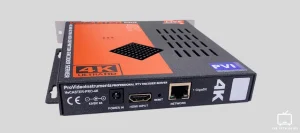
What Is the Best IPTV Encoder in 2026?
If you’ve been researching IPTV technology, you may have come across the question:
What is the best IPTV encoder?
The answer depends on what you are trying to do.
An IPTV encoder is used to convert a video source into a digital stream that can be delivered over an IP network. It can be used by broadcasters, content distributors, businesses, event producers, and other professional streaming operations.
But there is an important distinction that many people miss.
An IPTV encoder is not the same thing as an IPTV player or IPTV subscription.
If you’re simply looking to watch live TV, sports, movies, or other authorized content, you generally don’t need to buy an encoder.
If you’re creating or distributing your own live video stream, however, choosing the right encoder can make a major difference.
What Does an IPTV Encoder Do?
An IPTV encoder takes a video and audio source and converts it into a compressed digital format suitable for streaming.
For example, a professional setup could start with an HDMI or SDI video source.
The encoder processes that signal and produces a stream that can then be delivered through an IP network.
Depending on the setup, the output can use technologies such as:
- HLS
- RTMP
- SRT
- UDP
- RTP
The exact choice depends on how the stream will be distributed.
This is why there isn’t one universal best IPTV encoder for everyone.
Hardware vs Software IPTV Encoders
One of the first decisions is whether you need a hardware or software encoder.
Hardware IPTV Encoders
A hardware encoder is a dedicated physical device.
It is designed specifically for video encoding and streaming.
Professional hardware encoders can be useful for:
- Live sports
- Television stations
- Corporate broadcasts
- Hotels
- Stadiums
- Churches
- Events
- Professional IPTV infrastructure
One advantage is that encoding doesn’t depend entirely on a general-purpose computer.
Professional hardware can also provide reliable performance and low latency, depending on the model and configuration.
Software IPTV Encoders
Software encoders run on a computer or server.
They’re often more affordable and flexible than dedicated hardware.
Popular examples include:
- OBS Studio
- FFmpeg
- vMix
- Wirecast
OBS Studio and FFmpeg are particularly interesting for people starting with software-based encoding because they offer powerful encoding capabilities without requiring dedicated broadcast hardware.
For smaller projects, a software encoder can be an excellent starting point.
However, performance depends heavily on the computer’s CPU, GPU, storage, and network configuration.
So, What Is the Best IPTV Encoder?
There isn’t one answer.
The best IPTV encoder depends on your use case.
For beginners
OBS Studio is a strong starting point.
It’s flexible, widely used, and available without the cost of a professional hardware encoder.
For advanced workflows
FFmpeg is extremely flexible and can be integrated into automated streaming workflows.
It is especially useful for people comfortable working with command-line tools and media pipelines.
For professional broadcasting
A dedicated hardware or enterprise encoder may make more sense.
Professional systems can provide features such as multi-channel encoding, redundancy, hardware acceleration, and professional input/output options.
The right choice depends on the number of sources, required resolution, latency requirements, and distribution method.
H.264 vs H.265: Which Is Better for IPTV?
Codec selection is one of the most important parts of IPTV encoding.
Two commonly discussed codecs are:
H.264 (AVC)
H.265 (HEVC)
H.264 remains popular because it has extremely broad compatibility.
H.265 can provide greater compression efficiency and is particularly useful when you’re trying to deliver higher-quality video while controlling bandwidth requirements.
For 4K streaming, HEVC can be especially attractive.
However, compatibility should always be considered.
If your audience uses older devices, H.264 may still be the safer choice.
What Is the Best IPTV Encoder for 4K?
If your goal is 4K streaming, look for an encoder that supports:
- 4K resolution
- H.265/HEVC
- Hardware acceleration
- Appropriate bitrate control
- Low-latency options
- Reliable network protocols
- Stable long-duration operation
A 4K encoder can be unnecessary if you’re only delivering HD content.
There’s no reason to spend thousands on equipment you don’t need.
Choose the encoder based on the actual source and audience.
What Makes a Good IPTV Encoder?
Before buying an encoder, look beyond the marketing claims.
Here are some of the most important features to consider.
1. Resolution
Does it support the resolution you need?
Common options include:
- 720p
- 1080p
- 1080p60
- 4K
2. Codec Support
Check whether it supports H.264, H.265, or both.
3. Input Connections
For hardware encoders, check whether you need:
- HDMI
- SDI
- USB
- Other professional inputs
4. Output Protocols
Make sure the encoder supports the protocol required by your streaming infrastructure.
5. Latency
For live sports and interactive broadcasts, lower latency can be important.
6. Reliability
If you’re running a 24/7 channel, stability matters just as much as image quality.
7. Hardware Acceleration
Hardware acceleration can reduce the processing load on the main CPU and improve encoding performance.
Do You Need an IPTV Encoder to Watch IPTV?
Usually, no.
This is one of the most important things to understand.
If you’re an IPTV viewer, you normally need:
- A compatible device
- A compatible IPTV application
- A legitimate IPTV subscription or authorized content source
- A stable internet connection
You don’t normally need to purchase an IPTV encoder yourself.
The encoder is generally part of the infrastructure used by the broadcaster or content distributor.
So if you’re searching for the best IPTV encoder because you simply want to watch TV, you may actually be looking for an IPTV player or IPTV service instead.
What About Beast TV?
This is where it’s important to understand the difference.
Beast-TV.com is an IPTV service website, not an IPTV encoder manufacturer.
If your goal is to watch television and sports through a compatible setup, you can visit Beast-TV.com and review the current service information, supported devices, and available channel options.
You don’t need to buy an encoder simply because you want to use an IPTV service.
Instead, your focus should be on device compatibility, application support, internet stability, and the content that is legally available to you.
IPTV Encoder vs IPTV Player
These two terms are often confused.
| IPTV Encoder | IPTV Player |
|---|---|
| Creates/processes the stream | Plays the stream |
| Used by broadcasters | Used by viewers |
| Converts video into streamable formats | Decodes and displays video |
| Usually professional equipment/software | Usually an app |
| Can require powerful hardware | Usually works on common streaming devices |
For example, OBS Studio can function as a software encoder.
An IPTV player, on the other hand, is what you use to watch a compatible stream.
Understanding this difference can save you from buying equipment you don’t actually need.
How Encoding Affects Streaming Quality
The encoder is one part of a much larger streaming chain.
A typical workflow looks something like this:
Video Source → Encoder → Network → Server/CDN → IPTV Player → TV
If the encoder is poorly configured, the final viewer experience can suffer.
Problems may include:
- Pixelation
- Audio/video synchronization issues
- Dropped frames
- Excessive latency
- Unnecessary bandwidth usage
But encoding isn’t the only factor.
Your network, server, CDN, player, and viewing device can also affect the final result.
Best IPTV Encoder Settings
There isn’t one perfect setting for every stream.
The correct configuration depends on the source, resolution, frame rate, codec, and delivery method.
For example, live sports often benefit from higher frame rates because fast movement is easier to represent smoothly.
For other content, lower frame rates may be sufficient.
The important thing is to balance:
Quality + bitrate + compatibility + latency
rather than simply choosing the highest possible settings.
Common IPTV Encoder Mistakes
Buying More Than You Need
A professional 4K multi-channel encoder may be unnecessary for a simple single-source stream.
Ignoring Codec Compatibility
H.265 can be efficient, but you should make sure your target devices support it.
Using Excessive Bitrates
Higher bitrate doesn’t automatically mean better streaming.
It also increases bandwidth requirements.
Ignoring Latency
For live sports, latency can be particularly important.
Forgetting About the Network
Even the best encoder can’t compensate for an unstable network connection.
Best IPTV Encoder for Different Users
Content Creators
Start with a software encoder such as OBS Studio.
Small Broadcasters
A capable PC with hardware acceleration may provide a good balance between cost and performance.
Professional Broadcasters
Dedicated hardware or enterprise encoding platforms may be more appropriate.
24/7 IPTV Operations
Reliability, redundancy, monitoring, and multi-channel support become increasingly important.
IPTV Viewers
You probably don’t need an encoder at all.
Instead, focus on your IPTV application, compatible device, internet connection, and authorized content source.
Why Encoder Choice Matters for Sports Streaming
Sports are particularly demanding because the picture contains a lot of movement.
Football, basketball, hockey, and other fast-paced sports can expose weaknesses in encoding settings.
A good setup needs to balance:
- Frame rate
- Bitrate
- Resolution
- Codec
- Latency
- Network capacity
This is one reason professional sports broadcasters invest heavily in their video infrastructure.
For viewers, however, the important thing is the final streaming experience rather than the specific encoder sitting behind the service.
Beast TV and Sports Streaming
If you’re interested in watching sports through an IPTV service, Beast-TV.com is another site you can check.
Before watching a specific event, check the current channel lineup and availability.
Individual sports broadcasts can vary depending on region and applicable content rights, so it’s better to verify availability before the event starts.
Frequently Asked Questions
What is the best IPTV encoder?
There is no single best IPTV encoder for every situation. OBS Studio and FFmpeg are strong software options, while professional broadcasters may need dedicated hardware or enterprise systems.
What is the best IPTV encoder for 4K?
For 4K, look for HEVC/H.265 support, hardware acceleration, appropriate bitrate control, and compatibility with your distribution system.
Is OBS an IPTV encoder?
OBS Studio is primarily broadcasting and recording software, but it can encode and send video streams using supported streaming protocols.
Do I need an IPTV encoder to watch IPTV?
No. Viewers normally need a compatible IPTV player, device, internet connection, and authorized content source.
Is H.265 better than H.264 for IPTV?
H.265 can offer better compression efficiency, particularly for high-resolution video, while H.264 generally offers broader compatibility.
What is the difference between an IPTV encoder and IPTV player?
An encoder processes and prepares video for distribution. A player receives and displays the stream for the viewer.
Can I use Beast TV without an IPTV encoder?
If you’re using Beast TV as a viewer, you generally don’t need to purchase an encoder. Check Beast-TV.com for the service’s current supported devices and setup information.
Final Thoughts
So, what is the best IPTV encoder?
The answer depends on what you’re trying to accomplish.
For beginners and smaller streaming projects, software such as OBS Studio can be an accessible starting point.
For advanced workflows, FFmpeg provides extensive flexibility.
Professional broadcasters may need dedicated hardware or enterprise-grade encoding solutions.
And if you’re simply looking to watch IPTV, you probably don’t need an encoder at all.
In that case, focus on choosing a compatible device, a suitable IPTV player, a stable internet connection, and an authorized content source.
If you’re looking for an IPTV service to use with your compatible setup, you can also check Beast-TV.com for the latest service information and available options.