Best IPTV Apps in 2026 | Top IPTV Players for Every Device
What Is an IPTV App?
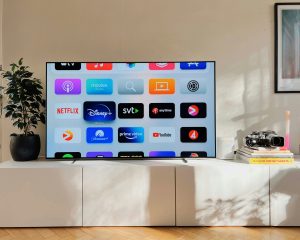
An IPTV app is a media player that lets you access IPTV services using the login details provided by your IPTV provider. Most apps support playlists or account-based logins and make it easy to organize live TV channels, movies, and TV series in one place.
The app itself does not usually include TV channels. Instead, it acts as the player that connects to your IPTV service.
Why Choosing the Right IPTV App Matters
The quality of your streaming experience depends not only on your IPTV provider but also on the application you use.
A good IPTV app should offer:
- Fast channel loading
- Easy navigation
- HD and 4K playback support
- Favorites and search features
- Electronic Program Guide (EPG) support
- Stable performance on different devices

Best IPTV Apps
1. IPTV Smarters Pro
One of the most popular IPTV players available.
Features
- Easy setup
- Live TV
- Movies and TV Series
- Multi-screen support
- EPG support
- External player support
Best For
- Firestick
- Android TV
- Windows
- Android phones
2. TiviMate
A modern IPTV player designed mainly for Android TV devices.
Features
- Clean interface
- Powerful TV guide
- Favorites
- Recording support
- Excellent performance
Best For
- Android TV
- Google TV
- NVIDIA Shield
3. IBO Player
A lightweight IPTV player compatible with many Smart TVs.
Features
- Fast loading
- Playlist support
- Modern interface
- Stable streaming
Best For
- Samsung Smart TV
- LG Smart TV
4. GSE Smart IPTV
A flexible IPTV application available on multiple platforms.
Features
- Playlist support
- Multiple formats
- EPG
- User-friendly interface
Best For
- iPhone
- iPad
5. VLC Media Player
A well-known media player that can also play IPTV playlists.
Features
- Lightweight
- Free
- Playlist support
- Cross-platform
Best For
- Windows
- Mac
Which IPTV App Is Best?
The best IPTV app depends on your device.
| Device | Recommended App |
|---|---|
| Firestick | IPTV Smarters Pro |
| Android TV | TiviMate |
| Samsung TV | IBO Player |
| LG TV | IBO Player |
| Apple TV | IPTV player compatible with tvOS |
| Windows | VLC or IPTV Smarters Pro |
| iPhone | GSE Smart IPTV |
Tips for Better Streaming
For the best IPTV experience:
- Use a stable internet connection.
- Keep your IPTV app updated.
- Use Ethernet instead of Wi-Fi when possible.
- Restart your device occasionally.
- Organize your favorite channels for faster access.
Why Choose Beast TV?
A great IPTV player needs a reliable IPTV service.
With Beast TV, you get:
- 20,000+ Live TV Channels
- 100,000+ Movies & TV Shows
- HD, Full HD & 4K Streaming
- Fast Activation
- Stable Servers
- Premium Sports
- 24/7 Customer Support
- Free 24-Hour Trial
Frequently Asked Questions
Do IPTV apps include channels?
No. Most IPTV apps are media players. You need an IPTV subscription to access channels and on-demand content.
Which IPTV app is best for Firestick?
Many users choose IPTV Smarters Pro because of its simple interface and compatibility.
Which IPTV app works on Samsung and LG Smart TVs?
There are IPTV players available for compatible Samsung and LG Smart TVs that support playlist or account-based login.
Are IPTV apps free?
Some IPTV apps are free, while others offer premium features through a paid version.
Conclusion
Choosing the right IPTV app can improve your overall streaming experience. Whether you use Firestick, Android TV, Apple TV, Windows, or a Smart TV, selecting a reliable IPTV player and pairing it with a dependable IPTV service like Beast TV helps you enjoy live TV, movies, sports, and TV series with ease.