IPTV for iPhone | Easy Setup Guide
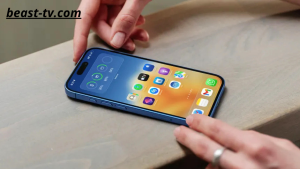
Watch IPTV Anywhere with Your iPhone
Your iPhone makes it easy to enjoy live TV, sports, movies, and TV shows wherever you are. Whether you’re traveling, commuting, or relaxing at home, IPTV gives you access to your favorite entertainment with just an internet connection.
Beast TV provides a reliable IPTV service that works smoothly on iPhone devices, delivering HD, Full HD, and 4K streaming with fast activation and stable performance.
Why Choose Beast TV?
Choosing the right IPTV provider is important for a smooth viewing experience.
With Beast TV, you get:
- 20,000+ Live TV Channels
- 100,000+ Movies & TV Shows
- HD, Full HD & 4K Streaming
- Premium Sports Channels
- Fast Activation
- Stable Servers
- Easy Setup
- 24/7 Customer Support
- Free 24-Hour Trial
Compatible iPhone Models
Beast TV works with most modern iPhone models, including:
- iPhone 16 Series
- iPhone 15 Series
- iPhone 14 Series
- iPhone 13 Series
- iPhone 12 Series
- iPhone 11 Series
- iPhone SE
- Older supported iPhone models running recent versions of iOS
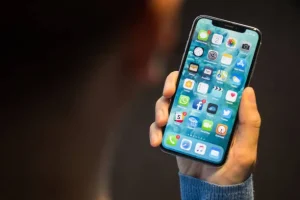
How to Set Up IPTV on iPhone
Setting up IPTV on your iPhone is simple.
Step 1
Download a compatible IPTV player from the App Store.
Step 2
Open the application.
Step 3
Choose your preferred login method.
Step 4
Enter the username, password, and server URL provided with your IPTV subscription.
Step 5
Allow the app to load your channels and on-demand library.
Step 6
Start watching live TV, movies, sports, and TV series.
Benefits of Watching IPTV on iPhone
Using IPTV on your iPhone offers several advantages:
- Watch anywhere with an internet connection
- Live TV and on-demand entertainment
- High-quality HD and 4K streaming
- Easy navigation
- Quick channel switching
- Access on a portable device
Tips for Better Streaming
For the best experience:
- Use a stable Wi-Fi or 5G connection.
- Keep your IPTV player updated.
- Close unused apps before streaming.
- Make sure your iPhone has enough storage space for smooth performance.

Frequently Asked Questions
Does Beast TV work on iPhone?
Yes. Beast TV works on iPhone using a compatible IPTV player.
Can I watch live sports?
Yes. You can enjoy football, basketball, UFC, Formula 1, tennis, and many other sports.
Is a free trial available?
Yes. New users can request a free 24-hour trial.
Do I need Wi-Fi?
Wi-Fi is recommended for the best streaming quality, but a fast mobile data connection can also work.
Start Streaming Today
Enjoy live TV, sports, movies, and TV series on your iPhone with Beast TV. Request your free 24-hour trial today and start streaming in minutes.